

Trackers are everywhere nowadays, starting with the Tile, which exploded in popularity with the release of the Apple Tag. As an Android user, I’ve always been excluded from using one as I’m not part of the Apple network. Eventually, the batteries died in the Tiles I had and I didn’t even notice. And being Bluetooth only they are only useful if you are close by. So when I lost my car keys for two whole weeks, it prompted me to get them replaced, and I opted for the Samsung Galaxy SmartTag2.
Some links in this review are affiliate links, to learn more about how we use these, read our disclaimer.
- Galaxy SmartTag2: Quick Review
- Galaxy SmartTag2: Technical Details
- What is a Samsung Galaxy SmartTag2?
- First Impressions
- Where to buy a Galaxy SmartTag2
- Setting up the Galaxy SmartTag2
- How does the Galaxy SmartTag2 work?
- Packability
- Battery Life
- Where to use a Galaxy SmartTag2?
- Are Samsung Galaxy SmartTag2 trackers waterproof?
- Does the Samsung Galaxy SmartTag2 work with iPhone?
- Samsung Galaxy SmartTag2 vs other trackers
- Galaxy SmartTag2: Final Thoughts
- Related Travel Gear Reviews
Galaxy SmartTag2: Quick Review
I’ve been a Samsung user for over a decade now, and adding these trackers has made a big difference to my everyday life. They’re easy to set up, simple to use and relatively affordable. Being able to replace the battery easily is another welcome feature, although expanding the tracking network to include other Android devices would make the SmartTag2 even more useful.
Pros
Cons
Galaxy SmartTag2: Technical Details
| Feature | Details |
|---|---|
| Dimensions | 28.8 x 52.44 x 8.0mm |
| Weight | 13.75g |
| Connectivity | Bluetooth 5.3 + UWB |
| Bluetooth range | Up to 120m |
| Battery | Replaceable CR2032 |
| Battery Life | Up to 500 days |
| Water resistance | IP67 |
| Available colours | Black / White |
| Compatibility | Samsung Galaxy devices |
What is a Samsung Galaxy SmartTag2?
The Galaxy SmartTag2 is Samsung’s take on a tracker. This works using their Smart Things App to help you locate whatever it is attached too. Many people (like myself) use them on their keys, others use it as a pet tracker, in case their dog wanders off or they get separated,
First Impressions
The Galaxy SmartTag2 arrived in a small box and, at first glance, looks quite stylish. It is slightly larger than an Apple AirTag and thicker than my old Tile Pro, but it still feels compact enough for everyday use.
One of the most useful design features is the built-in loop, which makes it easy to attach directly to a set of keys without needing an additional holder. Oddly, Samsung’s official SmartTag2 case adds another loop for attaching it to keys, which feels slightly redundant given that the tracker already has one built in.
Where to buy a Galaxy SmartTag2
The Galaxy SmartTag2 is wifeley available individually or multipacks, use the link below to check the current pricing on Amazon.
Setting up the Galaxy SmartTag2
I found the process of registering and setting up these trackers to be really straightforward. After removing the plastic tab to power on, I held the button to begin pairing. A notification then appeared on my Galaxy device and opened the SmartThings app.
From here the registration process only took a few moments and my tracker was ready to go.
How does the Galaxy SmartTag2 work?
The Galaxy SmartTag2 uses bluetooth to connect directly to your Samsung phone when its nearby. This allows you to see its location in the SmartThings Find app and, when you are close enough, use the app to help guide you towards the tag.
Once the SmartTag2 moves outside your phone’s Bluetooth, it relies on the Samsung;s Galaxy Find Network instead. Nearby participating Galaxy devices can detect the tag and anonymously update its location, allowing you to see where it was last detected. The more users nearby, the more frequent the location updates.
In my experience, this works well for everyday items such as keys and luggage, although the location is not always completely precise when the tag is further away. On one occasion, my keys appeared to be further down the street than it was. As soon as I was within the 120m though the location updated and showed them still at home.
Packability
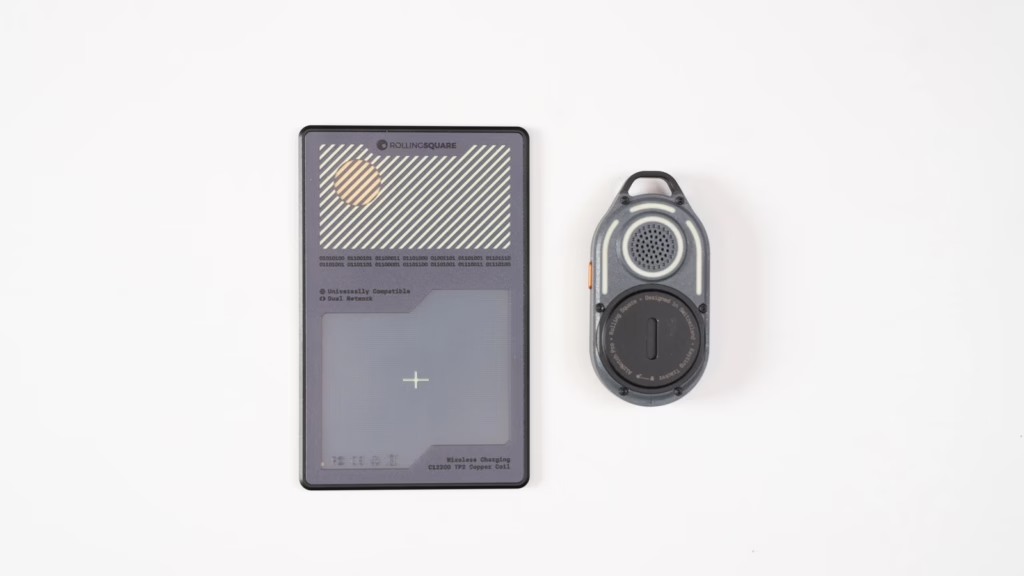
The Samsung Galaxy SmartTag2 isn’t the smallest tracker, but I wouldn’t describe it as cumbersome either. It’s nowhere near as slim as the Aircard Pro Dual so I can’t fit it in my wallet.
Where the SmartTag2 works particularly well is on keys and bags. The built-in loops means you can attach it directly without having to buy a case, which is something I appreciate compared with an Apple AirTag. However due to the thickness of the loop, a dedicated case does work better.
I currently have two SmartTag2 trackets, with one attached to each set of keys. and I’m considering a third to put inside my bag. When compared directly with an AirTag or my old Tile Pro, there isn’t a huge amount of difference in overall size. So for keys, luggage and backpacks I’ve never found the SmartTag2 inconvenient to use.
Battery Life
Samsung claims that the battery life for the SmartTag2 is 500 days, which is impressive considering it isn continuously keeping track of your belongings.
You can also make use of the Power Saving Mode that extends this to around 700 days, althougb that limits some of the tracking features. For everyday use, I think 500 days is already more than enough, espeically when you consider that it uses a standard CR2032 battery, that is inexpensive and readily available worldwide.
I much prefer having a replaceable battery in a tracker like this rather than having to replace the entire device when the battery dies.
How to change the Galaxy SmartTag2 battery
Changing the SmartTag2 battery is straightforward. You can use a SIM ejector tool or a paperclip to release the battery tray, then simply replace the CE2032 battery with a new one/
A rechargeable would be more convenient in some ways, but I don’t find the replaceable battery to be a major inconvenience. It also means the tracker doesn’t become useless once the battery eventually wears out.
Other trackers I have tested, like the Rolling Square AirCard Pro Dual, rely on using a wireless charger instead. The avoids buying replacement batteries, but does means I need to have access to a compatible wireless charger.
Where to use a Galaxy SmartTag2?
- Keys – This is where I use my SmartTag2 the most, I have one on each set and I haven’t lost them once since.
- Backpack and luggage – The small size makes it easy to slide into a pocket or even hook onto any loops and zips. I prefer inside pockets as it’s more discreet.
- Wallets – The SmartTag2 is too thick to use for wallet tracking. I would choose the AirCard Pro Dual instead.
Are Samsung Galaxy SmartTag2 trackers waterproof?
Samsung rates the Galaxy SmartTag2 at IP67, which means it should cope well with everyday situations, such as being caught in rain or in a small spill.
Samsung say was lab-tested for dust resistance and immersion in up to 1 metre of fresh water for up to 30 minutes, but I wouldn’t deliberately leave the tracker submerged.
The IP rating is reassuring that this tracker is suited for everyday use, and for something that is designed to live on keys, backpacks and luggage, that extra protection gives me confidence.
Does the Samsung Galaxy SmartTag2 work with iPhone?
Having been designed for Samsung, these trackers are not compatible with an iPhone or other Android devices such as Google Pixel or OnePlus. You need a compatible Samsung Galaxy smartphone or tablet to set it up and use its tracking features.
The exception of is Lost Mode. When this is activated, someone who finds your SmartTag2 can scan the NFC tag with a compatible smartphone and view the contact information or message you, even if they aren’t using Samsung device.
Samsung Galaxy SmartTag2 vs other trackers
I have tried a few different trackers on my travels, with the closest alternatives being the AirCard Pro Dual and AirNotch Pro Dual from Rolling Square. All three have different strengths depending on what you want to track.
The AirCard Pro Dual has a much slimmer design, making it better suited to wallets and pockets. It also supports both Apple Find My and Google’s Android tracking network, although you can only use one network at a time.
The AirNotch Pro Dual is better suited to keys and bags thanks to its integrated hook, while also supporting both Apple and Android tracking networks.
The Samsung Galaxy SmartTag2 is more limited to Samsung devices, but compatible Galaxy phones can use UWB and Compass View to give you precise directional guidance when you are close to the tracker.
Galaxy SmartTag2: Final Thoughts
Being the only Samsung user in the family has given me plenty of opportunities to compare the SmartTag2 with Apple’s AirTag. I prefer the design of the SmartTag2, particularly the built-in loop, but I am a little jealous of how well integrated the AirTag feels within the Apple’s wider Find My network.
That said, I still think the Galaxy SmartTag2 is worth considering if you already use a compatible Samsung Galaxy device. It is affordable, easy to set up, has excellent battery life and works particularly well for keeping track ofneveryday items such as keys, backpacks and luggage.
The tracking hasn’t always been perfect in my experience, mostly when the tag is further away, but once I am nearby the combination of Bluetooth anmd UWB makes finding an item much easier.
For Samsung Galaxy users looking for a simple track for everyday belongings, I would happily continue using the SmartTag2.

Pingback: AirCard Review - Brad's Backpack
Pingback: Retreev Smart Tag - Brad's Backpack