

It feels like a while ago I reviewed the AirCard for Rolling Square, and to date it’s my most asked about tech accessory. At expos I use it to connect with brands, or at networking events the digital card option is always a welcome option, especially as we try to move away from waste. So I was excited to see if the new AirCard Pro keeps what I loved, whilst using it as a platform to innovate.
As always in my reviews, my opinions are entirely my own. Rolling Square has had no influence over what I’ve written, beyond providing their product for me to test.
Some links in this review are affiliate links, to learn more about how we use these, read our disclaimer.
- AirCard Pro: Our Verdict
- AirCard Pro: Technical Details
- First Impressions of the AirCard Pro
- Where to buy a Rolling Square AirCard Pro
- Packability
- The Air family
- Sustainable Packaging
- Setting Up the AirCard Pro
- Sherr.it
- Lost mode
- QR Code
- Battery Life
- More from Rolling Square
- Using the Google Find My App
- Durability
- How does the AirCard Pro compare to other tags?
- Aircard Pro: Final Thoughts
AirCard Pro: Our Verdict
Pros
Cons
AirCard Pro: Technical Details
| Feature | Details |
|---|---|
| Dimensions | 85.4 x 54 x 2.2mm |
| Weight | 18g |
| Main Materials | CNC machined aluminium and G10 Epoxy Fiberglass Resin |
| Battery Life | x2 CR2032 |
| Colour Options | White for Android / Black for Apple |
First Impressions of the AirCard Pro
I was, and still am, a big fan of the original AirCard, and I have been so excited to receive an AirCard Pro. I can’t say the last generation was perfect, you couldn’t use the tracker with android phones, and for something that was designed to go into a wallet, it broke too easily. But this new design feels much stronger, so I can’t wait to see how it performs.
Where to buy a Rolling Square AirCard Pro
Fits in my wallet without bulking it out, tracks it through the Apple Find My Network, and it’s a business card. Everything I love about the AirCard, but now Android-friendly. If you’d like to buy one for yourself, you can check out the links below to Rolling Square and Amazon.
You can use the code “BRADSBACKPACK20” on RollingSquare.com for 20% off your first purchase.
Packability
I love having a Bluetooth tracker that’s the size and shape of a credit card. It easily fits into my wallet. This version feels thinner to me than the previous AirCard, which is odd as I have checked the measurements and they are both the same. The slim build is perfect for more than just a wallet though. I moved it to my passport wallet on a recent trip to Croatia, and it can slide perfectly in the pocket I use for wipes in my Vanguard Veo Range 21M.
The Air family
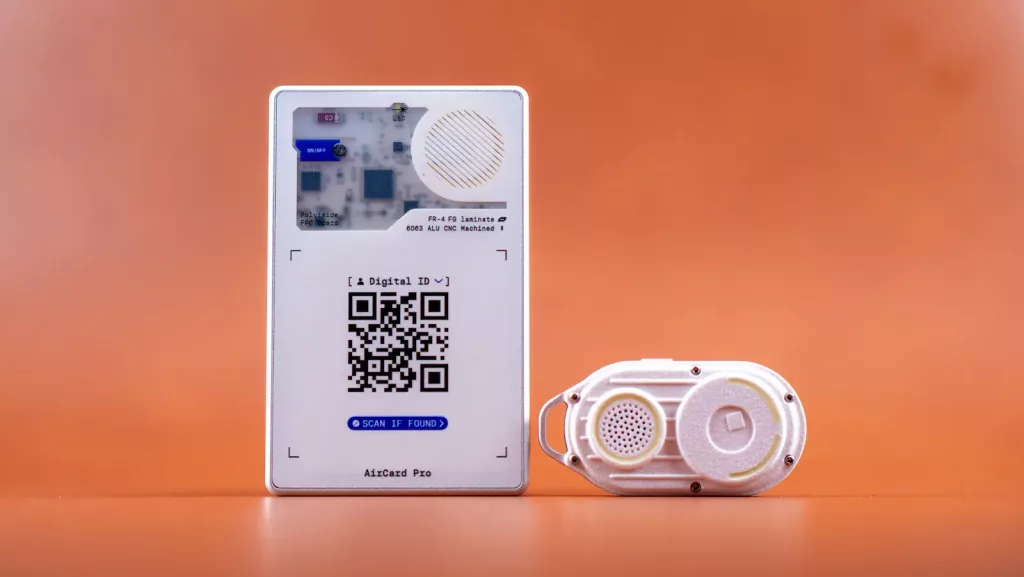
The AirCard is just the start in a range of products all within the Air Title. The latest products in which are the AirCard Pro and the AirNotch. Both are trackers but designed for different items. Where the AirCard Pro is to fit in a wallet or slim pocket, the AirNotch is a tag that can be hung onto a keyring. Although mine remains clipped onto my Pocket Osmo Carry Case.
Sustainable Packaging
I love Rolling Squares commitment to sustainable packaging, I received a few products at ones, and all were in 100% cardboard packaging with even the ink being sustainable. I got a few products along with the AirCard Pro, including the SuperTiny charger and the AirNotch Pro. Every product had similar packaging, and its much better for it. Plus its so easy to get to your product. I hate when its wrapped in plastic and I have to hunt around the house for a pair of scissors just to get what I bought.
Setting Up the AirCard Pro
Trying to set the AirCard Pro is a relatively simple process. You just have to turn it on, tap to the back of your device with the Google Find Hub open and pair. Simple right? Unfortunately for me it didn’t quite go so smoothly. I tried and tried but the app could not find my device. When the same issue persisted with the AirNotch I figured it was my device, which turned out to be the case. As soon as I tried it on my tablet both devices paired instantly.
I did reset both devices to try reconnecting using my phone. After resetting my phone it worked instantly again. So the process is easy, if it doesn’t work straight away just switch your phone off and on and it should work.
Sherr.it
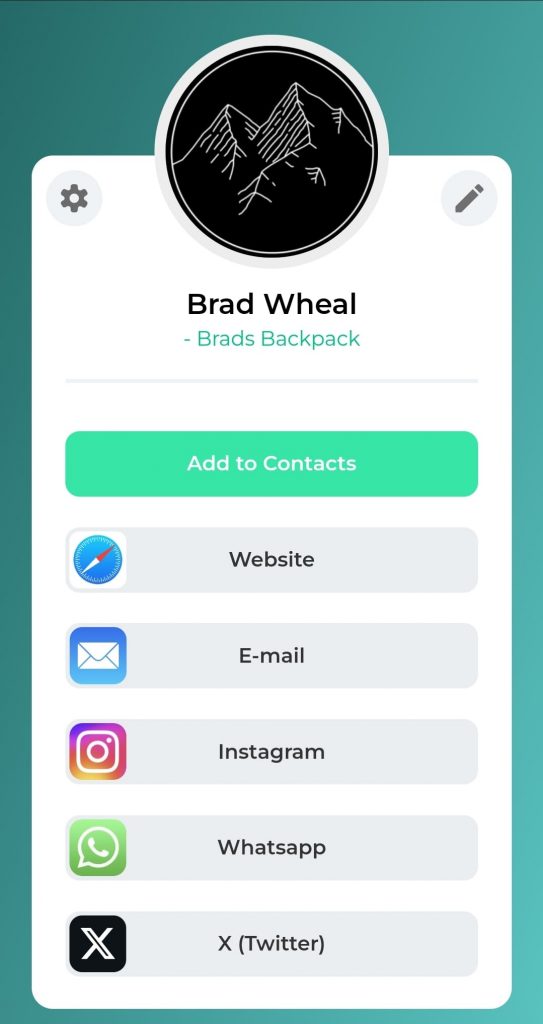
The AirCard once again comes with access to the Sherr.it platform. If you have had a previous generation AirCard then you can just log into the platform and everything will carry over. If not, then its a really simple process to set up. You just choose what information you want to share, email, website, contact number, and your good to go.
It is really easy to set up and customise, with various different colour options. You also have the option to redirect the QR code directly to a website of your choice. So if you just want to direct to your Instagram or a contact form on your site that is always an option.
Lost mode
In the event you lose your wallet, the AirCard Pro has a lost mode. This allows you to register the card as lost, and you can instead leave a message for anyone who scans the QR Code. You can use this to put your address details, or your hotel name, so that if it gets lost in a foreign country its much easier to return to you.
QR Code
Each card comes with a unique QR code which can be scanned and share your Sherr.it platform. Unfortunately this new version doesn’t have NFC, which I loved about the original. Being at events and at a tap being able to share everything with a potential client. QR codes still work, but does feel a bit like I’m in a restaurant.
Battery Life
With a full charge, the AirCard Pro has an impressive battery life of up to 12 months, and in a big step up from the previous generation, it’s rechargeable! To keep the card as slim as possible, its wireless charging only. It shows Rolling Square’s commitment to sustainable tech. You don’t have to send your old AirCard away for recycling and buy a replacement, you can keep this model for years to come.
A wireless charger doesn’t come supplied with the AirCard Pro, which makes sense to me. Considering it comes charged, and you won’t need it for another year, it’ll most likely get lost in the abyss of your drawers. It just adds extra costs to both them and you, and wastes resources on something your likely to already have.
More from Rolling Square


Using the Google Find My App
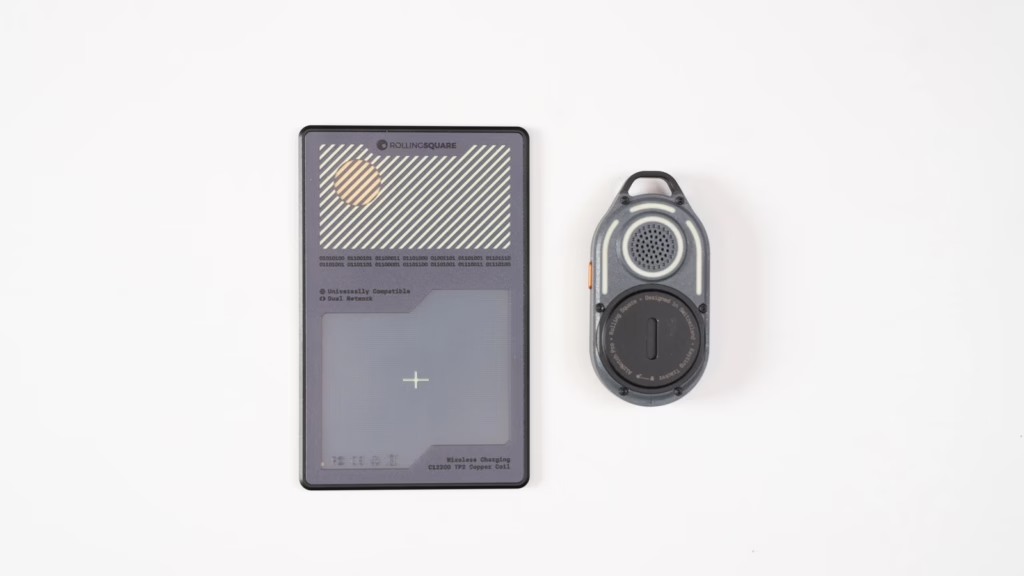
There is a IOS version of the AirCard Pro that uses Apple’s Find My Network, however I tested the android version since I use a Samsung and Google phone. I find the Google Find My Device app really simple and easy to use, in fact its almost too simple. Adding a new device can be an issue as I mentioned whilst setting up, and that is entirely down to the app itself. Once a device is set up, it’s really easy to find what you need and track. I have a few trackers now, some attached to keys, others bags. I have an AirNotch that Rolling Square sent along with the AirCard Pro. And I can easily find the device I’m searching for.
Durability
Now one of the main issues I had with the previous generation was in terms of durability. Glass, even when tempered, isn’t indestructible. Its slim profile is designed to go into your wallet and be barely noticeable. Which works to its detriment as I forget and put my wallet in my back pocket. So I did experience some slight embarrassment when i got it out for a potential client to see it covered in cracks. Reassuringly it still worked, but I don’t want to risk sitting on broken glass.
But now that glass is gone, replaced by an epoxy fibreglass resin. It still retains that cool design that lets me see the interior, which I absolutely love. But there’s no longer a risk of sitting on any shards.
How does the AirCard Pro compare to other tags?
I haven’t had a huge amount of use of the Apple AirTag, which of course is the industry’s biggest competitor. The closest I have to compare is the Samsung SmartTag 2. In terms of setting up, the process is very similar. I think Google’s system is more accurate which is vital for these devices. Packability wise, I love having a lightweight tracker that can fit in my wallet or passport holder, so the AirCard Pro takes the win for me.
Aircard Pro: Final Thoughts
After carrying the AirCard Pro with me over the last few weeks, it’s a tech accessory I’ll never leave the house without. If you pair it with the AirNotch Pro you can have an extensive system that will stop you from losing anything ever again. AirNotches Pro for your keys, AirCard Pros for your wallets and passport. You’ll never have to scramble to find things again.
I do hope in future versions the NFC will return, there is something magically impressive about tappinfg your card to share your details. I loved it, clients loved it, and I really hope Rolling Square brings it back.
You can use the code “BRADSBACKPACK20” on RollingSquare.com for 20% off your first purchase.