

As a content creator, I have piles of SSDS in my house. Each has its own pros and cons, but each time I need a new one, I try to get a new model. So when I was looking at the Photography and Video show, I got talking at the Lexar stand and saw their Armor Series. I was excited to test the Lexar Armor 700.
Lexar sent me a model along with the Armor Gold SD Card to test. This was a loaner model, so I don’t get to keep it, and Lexar haven’t seen my review before it gets published. So any reviews in this article are all my own without any influence from them.
Some links in this review are affiliate links, to learn more about how we use these, read our disclaimer.
Lexar Armor 700: Our Verdict
Pros
Cons
Lexar Armor 700: Technical Details
| Feature | Details |
|---|---|
| Dimensions | 54.4 x 13.2 x 86.2mm |
| Weight | 80g |
| Max Capacity | 4tb |
| Read / Write Speeds | 2000MB/s |
| Colour Options | Black / Blue |
| IP Rating | IP66 |
Design
The Lexar Armor 700 has a smooth, simplistic rubber design. I prefer rubberised cases as they provide drop-proof protection. Currently, the SSD only comes in two colours, Black and Dark Blue.
I was given the Black to review, but I love the Dark Blue. From photos, it looks more like a blue-grey. Although it looks good, I would prefer there to be more variety of colour options like the Samsung T7 offers. I’ve said many times that I like to use a colour system to organise my footage. And it makes it easier to find the footage I need when I want it.
Where to buy a Lexar Armor 700 SSD
If you would to purchase a near bulletproof SD card for yourself. Check it out using the link below to Amazon.
Durability and IP Rating
The Lexar Armor 700’s rubberised casing lends itself to durability. The rubber doesn’t get chipped, scratched or tarnished like my Samsung T7 can after a while, especially if I don’t secure it properly in my bag. We don’t drop gear on purpose, but the inevitable fact is that it will happen, and when it does, you want to have some protection. The rubber case means that it is rated for drops up to 3m, so unless you plan on taking it free climbing, you are covered.
The sides are ribbed, which looks like it will be effective at distributing any force from an accident. However It is only on the sides. I get that if it falls on its side its a much finer point, so that may be an area that requires more support. But I wonder if it would be more effective if these measures where on the top and bottom too.
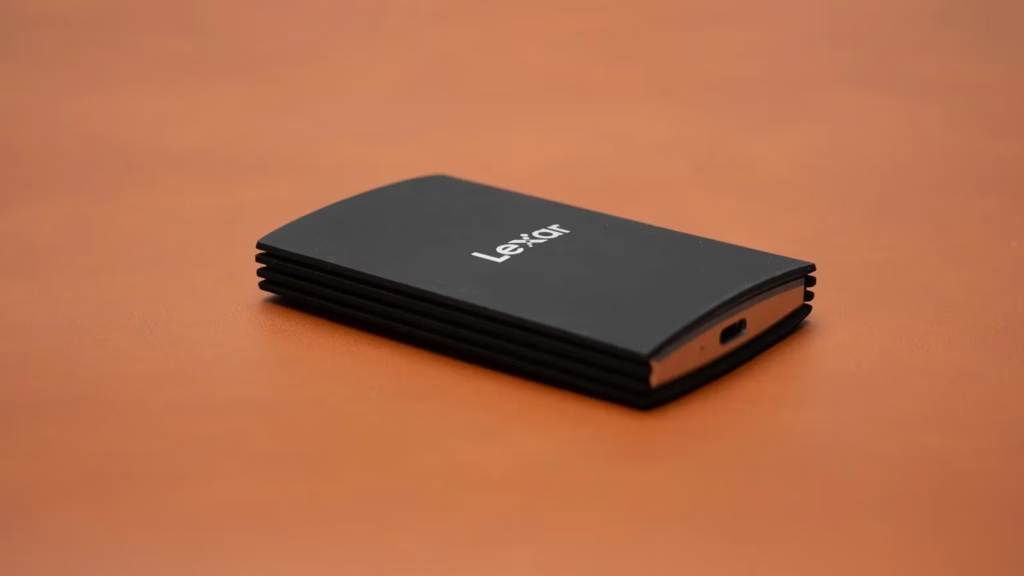
The Armor 700 has a rating of IP66. The first number means it has complete protection against dust. Perfect for creators who plan to visit the Sahara desert, or on a less extreme level, the beach. The second number 6 means that the SSD is capable of withstanding direct contact with high-pressure water jets. I’m struggling to think of an example for this. Google suggested fire hoses, so you can rest easy; it’ll keep your data safe during heavy rains.
Transfer Speeds
I have no reason to complain about 2000MB/s for both the reading and writing speed. When I want to upload or offload data, I want it done quickly. I did run a few tests, but my laptop is now so old it cannot come anywhere near. Still, what my laptop was able to see I was happy with. I made transfers on my laptop, tablet, and phone, and I was impressed each time.
Value for Money
Currently, the 2TB Lexar Armor 700 is on sale with an RRP of £199.99. Compared to other brands, that seems to be on par for a 2TB portable SSD. It is competing with their higher-end models, though. The closest comparison I can find in terms of spec is the Samsung T9, which I haven’t reviewed at this time. But both SSDS have transfer speeds around 2,000mb/s
Want to see more SSDs?


Compatibility
This SSD is compatible across both Apple and PC systems. I am an android user, with a PC laptop, and it worked seamlessly. I have no doubt it will be the same with Apple systems too. Over the years I have met many Android users still edit on a mac, so having that compatibility to switch between the two without having the format the drive is essential.
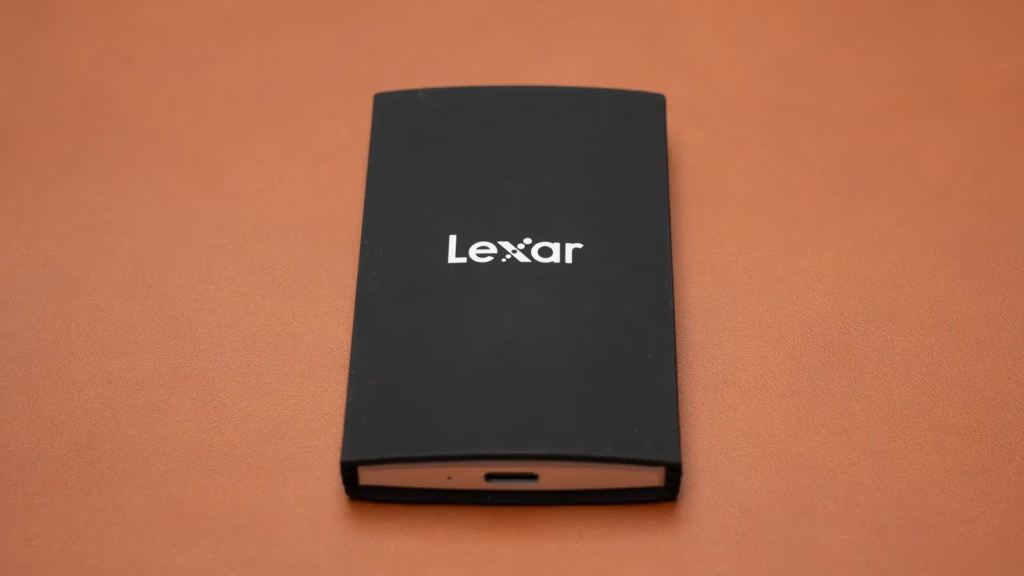
Being an SSD as well it requires no external power. So you can use it easily with mobile devices such as android and and IOS. Perfect if you are editing on the go and don’t want to carry a laptop or tablet with you.
The Lexar Armor 700 for Travel Content
I love the Lexar Armor 700’s design for travel. The slim profile of the SSD means it can easily fit into your tech pouch or a sleeve in your bag. Its lightweight so you will hardly notice its there, but the durable design means there’s little risk to it getting damaged. I would be confident to take this with me on my adventures.
I will always stress though that physical storage can be lost, and it’s all to easy when travelling. You cannot overestimate the value of having a redundancy place with an cloud storage system in place. Whether its Dropbox, Google Drive, NordLocker or elsewhere. Having a cloud system to back up to overnight means there’s no risk to you losing any memories.
Lexar Armor 700: Final Thoughts
I really loved the Lexar Armor 700, it was a great SSD and the slim design made it easily pocketable. If you want a minimalist set up you can easily use it to back up photos from your camera via your phone, then the Lexar SSD is perfect.
The right SSD is going to come down to personal preference. I trust Lexar as my main SSD, having grabbed an Armor Silver SD Card after reviewing the Armor Gold previously. So I would be happy to take one with me on an adventure. However for home use the Samsung T7 colour options makes it so easy to quickly find and edit my content.